Intake & reporting / portfolio demo
Digital Ops Cockpit
Turn intake into owned work, with a view of what's blocked, what's late and what comes next.
Explore the workflow ↗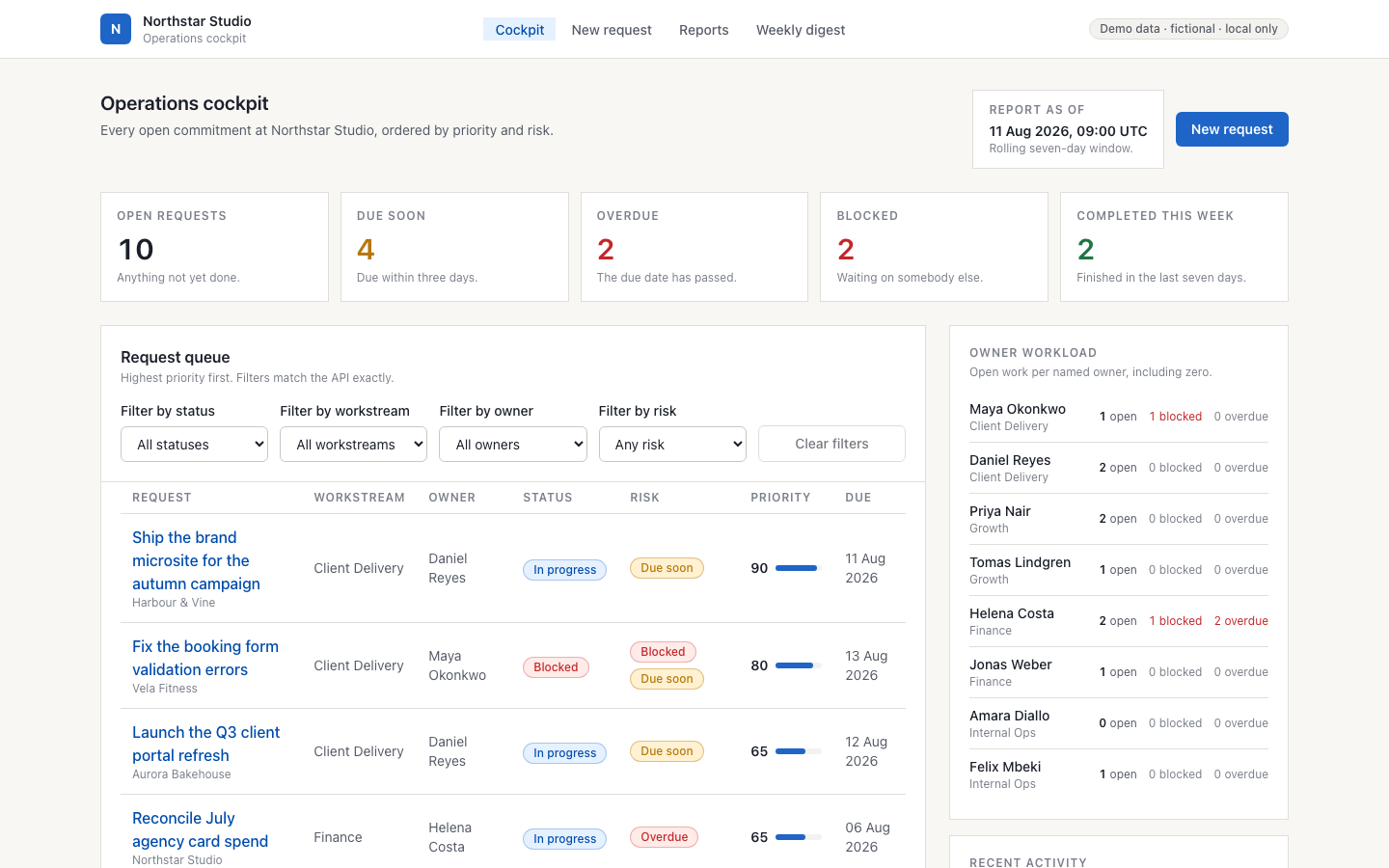
Free calculatorWhat does one routine task cost you a year?
Independent software studio · Czechia
We build agents and automations for small and mid-sized businesses. They research, keep watch and prepare the routine work, and a person approves anything that matters.
Pricing on request. A quote is agreed before any work begins.
Nothing goes out until a person approves it.
01 / The problem
Three problems most small teams know. None of them needs more people.
The same details are typed again: from an email into a spreadsheet, from the spreadsheet into the next system. Every copy is a chance for a mistake.
A new tender, a price change, a customer in trouble. The information was out there, but nobody had time to check it every day.
A chatbot drafts and summarises well, but you can't let it act on its own. So someone checks everything, and the time saved is gone.
Agents can take over the routine part. Our job is to build them so that the decisions stay with a person.
02 / What we build
Built for your tools and your rules. Each one links to a demo we have built.
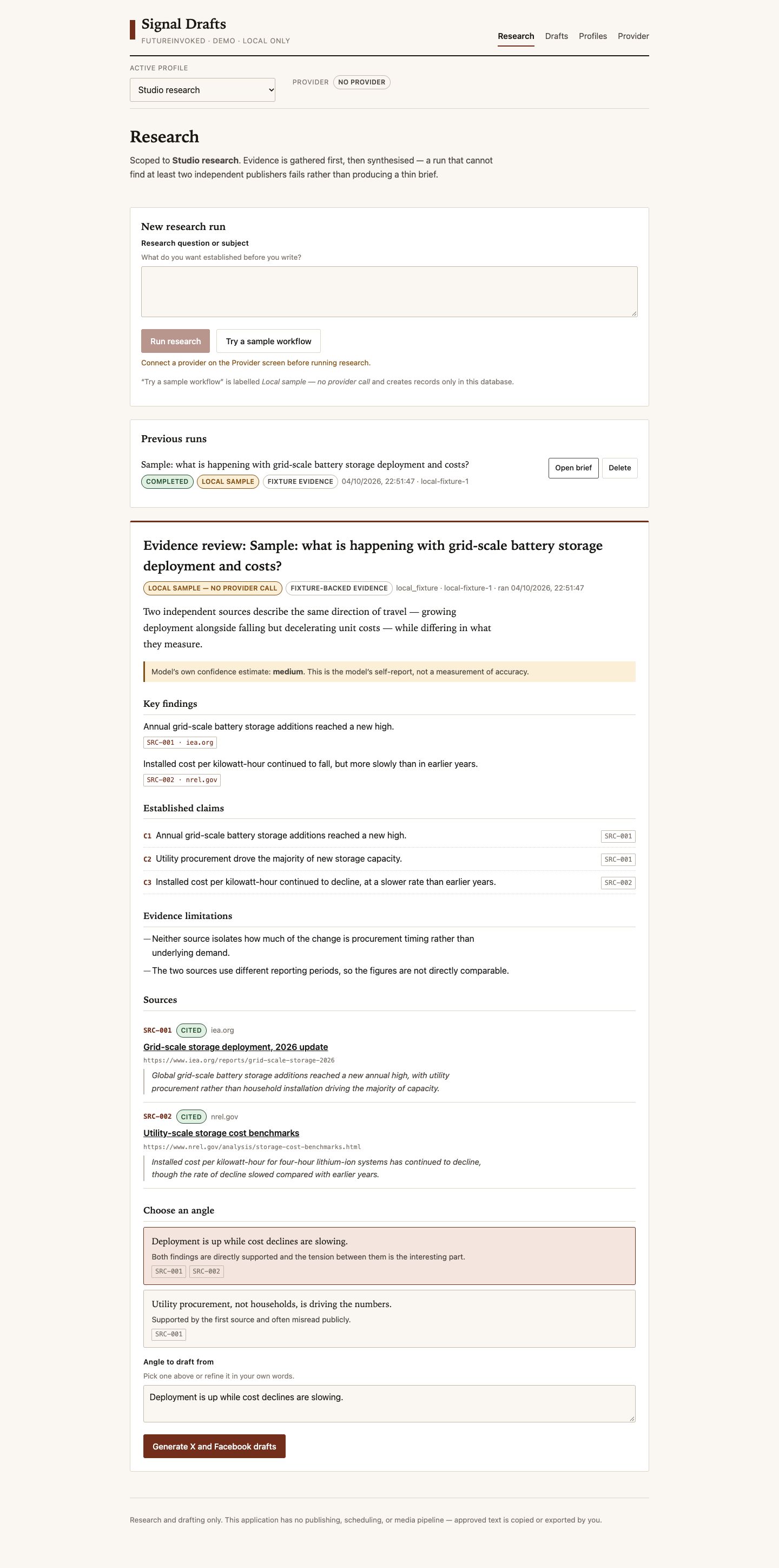
Collects sources on a question, compares them and writes a short brief in which every claim links to its source.
For exampleBefore a meeting: what has changed at a customer, at a competitor or in a regulation.
See the demo: Signal Drafts →Checks websites, registers, price lists or an inbox on a schedule and reports only what has changed.
For exampleNew public tenders in your field, or a change at a customer in the business register.
See the demo: Scout →Reads incoming requests and emails, sorts them, gives each one an owner and keeps an eye on the deadline.
For exampleOrders, enquiries or complaints that arrive by email.
See the demo: Digital Ops Cockpit →Puts together a morning or weekly summary from your own systems: what is new, what is late and what needs a decision.
For exampleA Monday summary of open orders and unpaid invoices.
See the demo: Shift Brief →Prepares replies, offers, reports and posts in your style. A person reads and approves each one before it goes out.
For exampleReminders for overdue invoices, ready to check and send.
See the demo: Cash Desk →Most routine tasks fit one of these patterns, or a mix of them. Describe yours in one email and we will tell you how we would approach it.
Describe your task ↗03 / How trust works
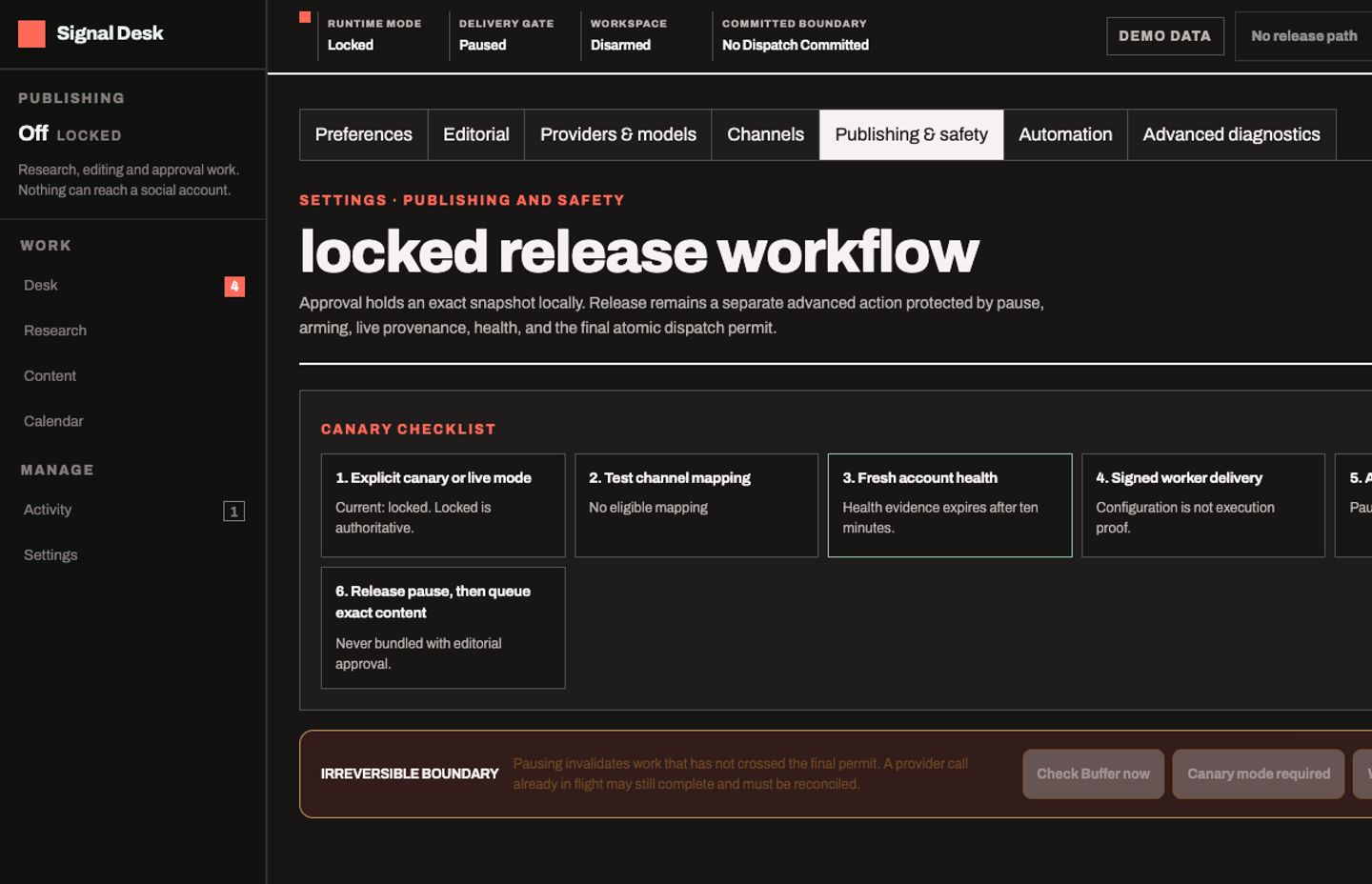
Every agent starts by asking first. It gets more room only when you give it.
The agent prepares the work, and a person approves, edits or rejects every action. Every agent starts here.
Steps you have approved many times, and that are easy to undo, run on their own. Anything new, costly or unusual still asks.
The agent works within limits you set: what it may touch, how much and how often. You can stop it at any time.
The control layer we build on: Control Room →
04 / Selected projects
Our own systems, shown with demo data.
Intake & reporting / portfolio demo
Turn intake into owned work, with a view of what's blocked, what's late and what comes next.
Explore the workflow ↗Watcher / local pipeline
Collects listings from several sources, removes duplicates and reports what changed since the last run.
Inside the pipeline ↗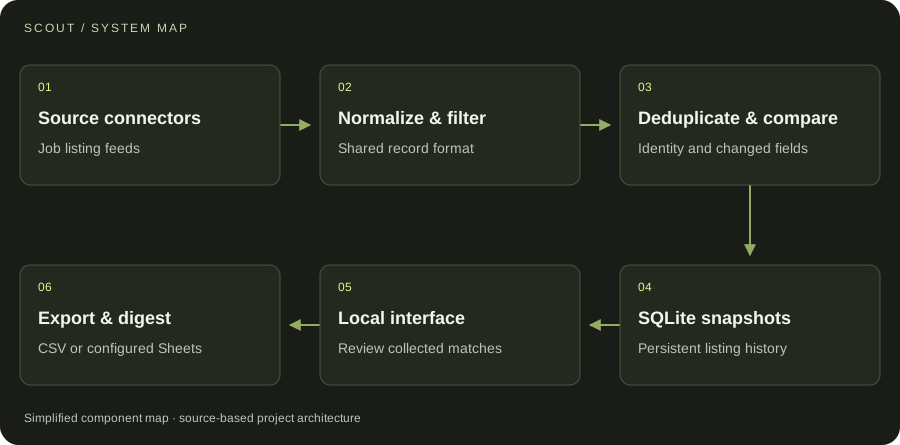
AI / agent coordination
A visible task lifecycle, distinct verification and an inspectable trail.
Open the control plane ↗05 / A small first project
Workflow Fix is the smallest project we take: one recurring task that someone still does by hand, turned into something that runs.
We take two a month. Fixed price, agreed before any work starts.
06 / Services
Each has its own page with examples and answers to the usual questions.
Connect incoming information to useful results, with checks and reporting along the way.
Research and drafting tools that connect models to useful context and keep important decisions reviewable.
Private tools, dashboards, admin interfaces and product prototypes, built around your requirements.
07 / Working together
Four steps. Nothing is built before the scope and the quote are agreed.
Email the problem, who the tool is for and what you need it to do. Existing tools or examples help.
Discuss requirements, constraints and deliverables. Agree a quote and approach before work begins.
Review the work against the agreed scope and give feedback as the application takes shape.
Receive the agreed deliverables. Discuss setup, documentation and any further support your project needs.
FutureInvoked is an independent software studio based in Czechia. We build AI agents, workflow automation and custom applications for small and mid-sized businesses.
We prefer to start small: one process, one team and a result you can check. Bigger projects grow from there.
We also make our own desktop software, which you can download from the products page.
START WITH ONE EMAIL
Four lines are enough. We answer by email, with questions or with a scope and a quote.
There is no form to fill in and nothing to sign up for.
WHAT TO PUT IN IT
The button opens your email app with the four questions already in the message. Examples: how to write a software brief.