
AI integration with human controls
AI tools
with a person in control.
Research and drafting tools that connect models to useful context and keep the important decisions reviewable.
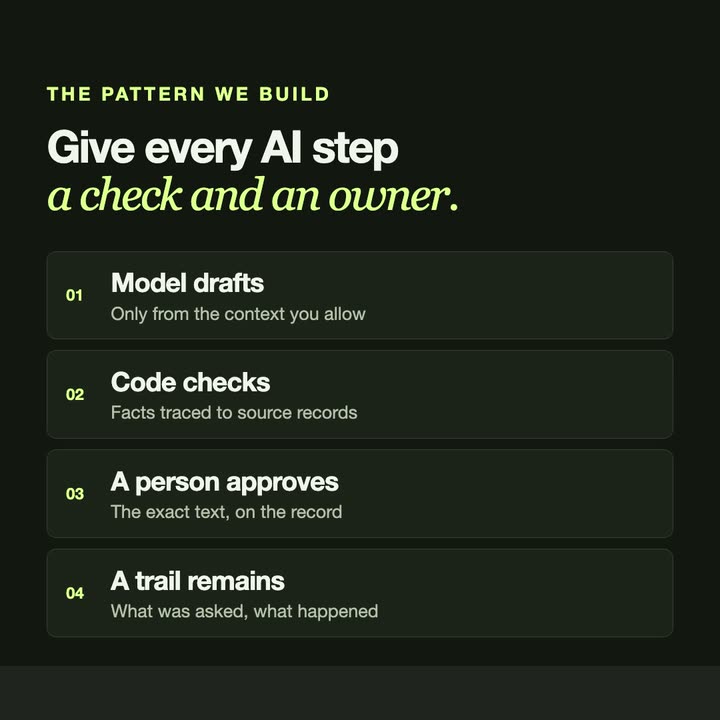
THE PROBLEM
AI is useful for research and drafts. It should not make the decisions.
Language models are good at gathering material, summarising and drafting. They are also sometimes confidently wrong. We build tools that put a model to work on your own context, keep the sources attached to what it produces, and stop at a review step before anything is sent, saved or acted on. Where data should not leave your computer, a local model can do the work.
- Research assistants and source-backed drafts
- Model connections and local inference
- Approval workflows and review controls
Tasks that fit
- Drafts written from your own documents, with the sources shown
- A regular brief assembled from several systems
- Incoming requests sorted and answered in draft for a person to approve
- Agent work that needs limits and a record of what happened
What you get
The model does the legwork. A person decides.
- A model connected to the context it needs
- A review step before results are used
- Where it matters, a record of what was produced and approved
- A quote agreed before any work begins
FROM OUR WORK
See similar work.
Short videos and project pages from work we have already built.
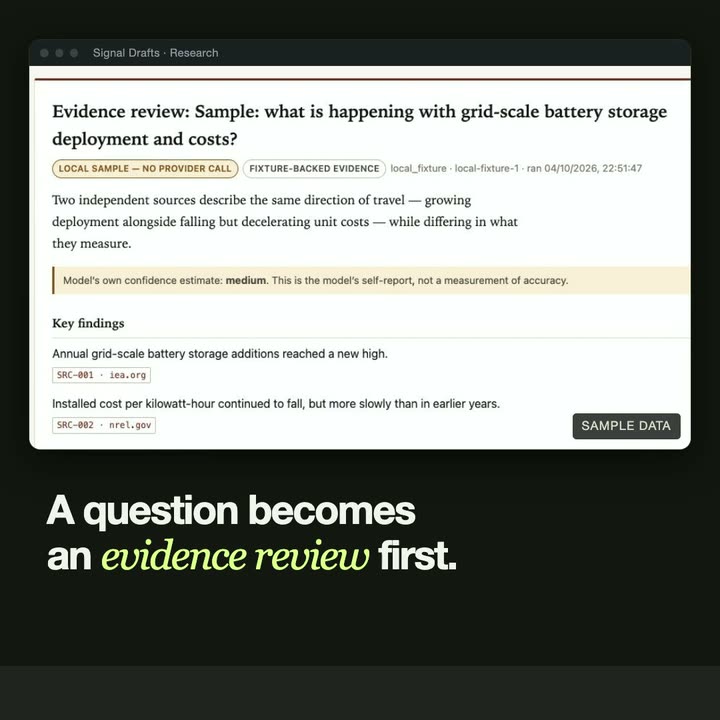
- Signal Drafts carries source evidence from a research question into drafts, and records the exact text that was approved.
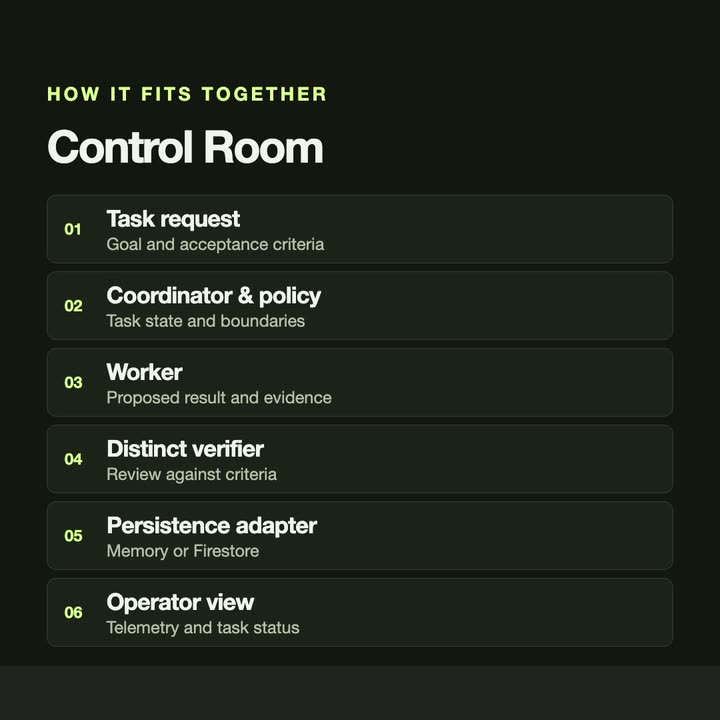
- Control Room gives agent work an explicit task lifecycle, a separate verifier and an inspectable trail.
- Hermes Operator Controls adds tool budgets and typed verification records to an AI agent.
- Forensic Lens runs a model locally inside a browser extension, on the pixels it captures.
GUIDES
Read first.
- Local or hosted AI models: what to use for business data Hosted AI models are the most capable; local models keep data on your own machine. How to choose by privacy, quality, speed and running cost.
- Human-in-the-loop AI for small businesses Where AI helps in everyday business work, where it should stop, and how to design review steps, sources and records so a person stays in control.
- How to write a software brief in four questions A software brief does not need a template. Answer four questions: the task, the tools, the result and the timing. With examples you can copy.
WORKING TOGETHER
Start with the problem.
Four steps. Nothing is built before the scope and the quote are agreed.
- 01
Share your brief
Email the problem, who the tool is for and what you need it to do. Existing tools or examples help.
- 02
Define the scope
Discuss requirements, constraints and deliverables. Agree a quote and approach before work begins.
- 03
Build & review
Review the work against the agreed scope and give feedback as the application takes shape.
- 04
Delivery & handover
Receive the agreed deliverables. Discuss setup, documentation and any further support your project needs.
QUESTIONS
Before you write.
- Will the AI make decisions on its own?
- No. The tools we build gather, sort and draft. A person reviews before anything important is sent, saved or acted on.
- Can our data stay private?
- It can. Where data should not leave your computer, a local model can do the work. Otherwise we agree which provider sees what before anything is built.
- Which AI models do you work with?
- Hosted models such as Claude and OpenAI's, and local models that run on your own machine. The choice depends on the task, the data and the running cost.
- What does an AI tool cost?
- Each tool is quoted after we read your email and agree the scope together. If a hosted model is involved, its running cost is part of that conversation.
- How do we start?
- Send one email with four things: the task, the tools you use today, what a good result looks like and when you need it. We answer by email, with questions or with a scope and a quote.
START WITH ONE EMAIL
Tell us about
the task.
Four lines are enough. We answer by email, with questions or with a scope and a quote.
There is no form to fill in and nothing to sign up for.
WHAT TO PUT IN IT
- The taskWhat is done by hand today, and how often.
- The toolsWhere the data lives: files, sheets, apps.
- The resultWhat a good outcome looks like for you.
- The timingWhen you need it.
The button opens your email app with the four questions already in the message. Examples: how to write a software brief.