
Research & drafting tool
Signal Drafts
Research first. Then write something supportable.
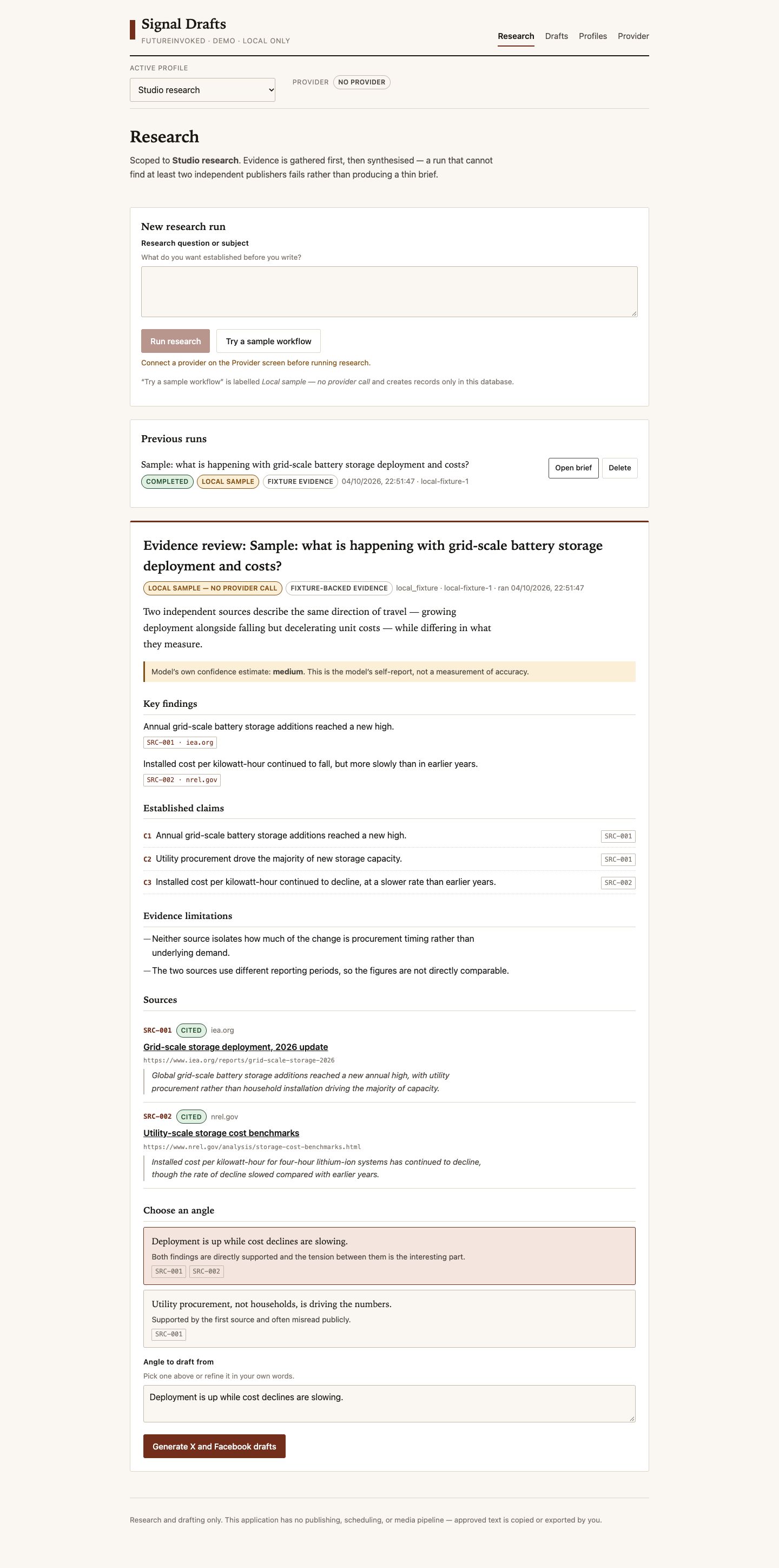 PROJECT SCREEN
THE PROJECT
A local workspace that carries source evidence from research into reviewed drafts.
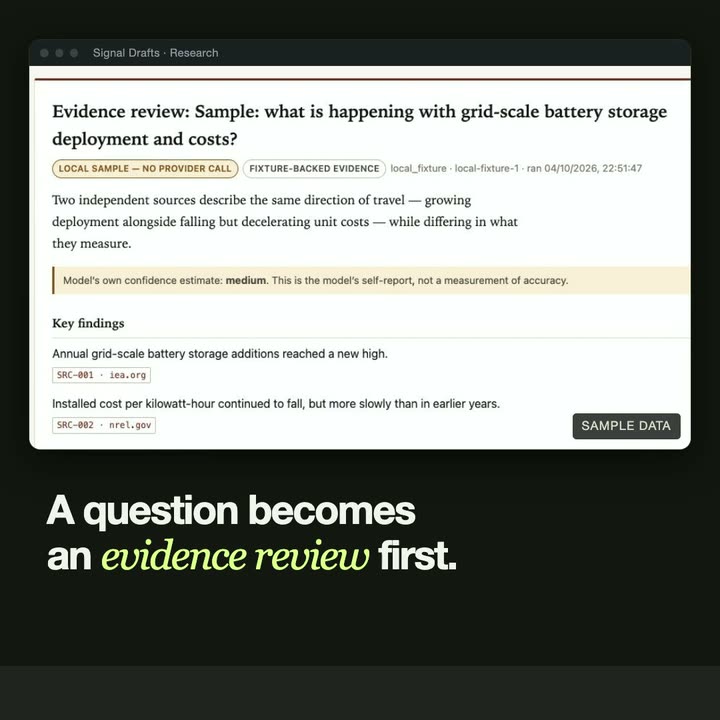
A research question produces an evidence review before it becomes an editorial angle. Source provenance stays attached to the brief and draft. Independent content profiles keep audiences and voice rules separate, and approval records the exact draft text before it can be copied or exported.
- Research briefs with source provenance
- Independent audience and voice profiles
- Exact-text approval, copy and export
The screenshot is the application's fixed local sample. Publishing and scheduling are separate from this tool.
THE INTERFACE
A closer look.
IN MOTION
Watch the project.
UNDER THE SURFACE
How it fits together.
Research gathers and validates evidence before synthesis. Briefs, sources and versions are persisted locally; approving a draft does not publish it.
Swipe or scroll the diagram to inspect it. The components are also listed below.
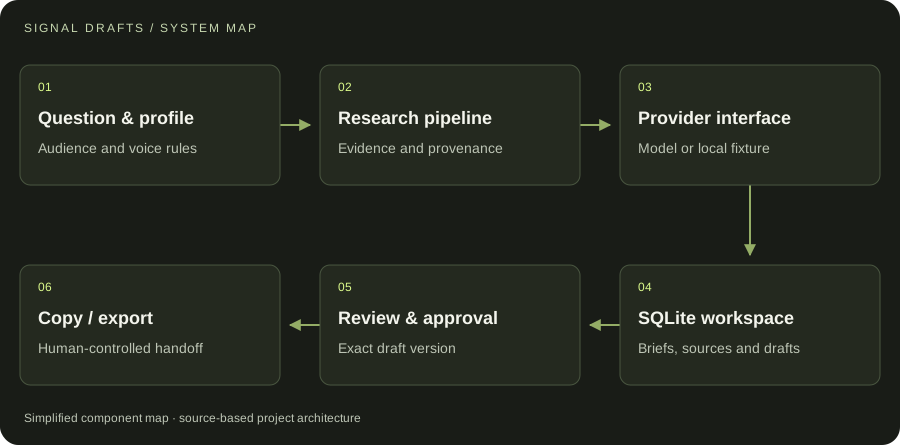
- 01Question & profile
Audience and voice rules
- 02Research pipeline
Evidence and provenance
- 03Provider interface
Model or local fixture
- 04SQLite workspace
Briefs, sources and drafts
- 05Review & approval
Exact draft version
- 06Copy / export
Human-controlled handoff
START WITH ONE EMAIL
Need something
like this?
Tell us what you would use it for. The four lines on the right are enough to start.
There is no form to fill in and nothing to sign up for.
WHAT TO PUT IN IT
- The taskWhat is done by hand today, and how often.
- The toolsWhere the data lives: files, sheets, apps.
- The resultWhat a good outcome looks like for you.
- The timingWhen you need it.
The button opens your email app with the four questions already in the message. Examples: how to write a software brief.