
Editorial workspace
Signal Desk
An editorial desk with deliberate release controls.
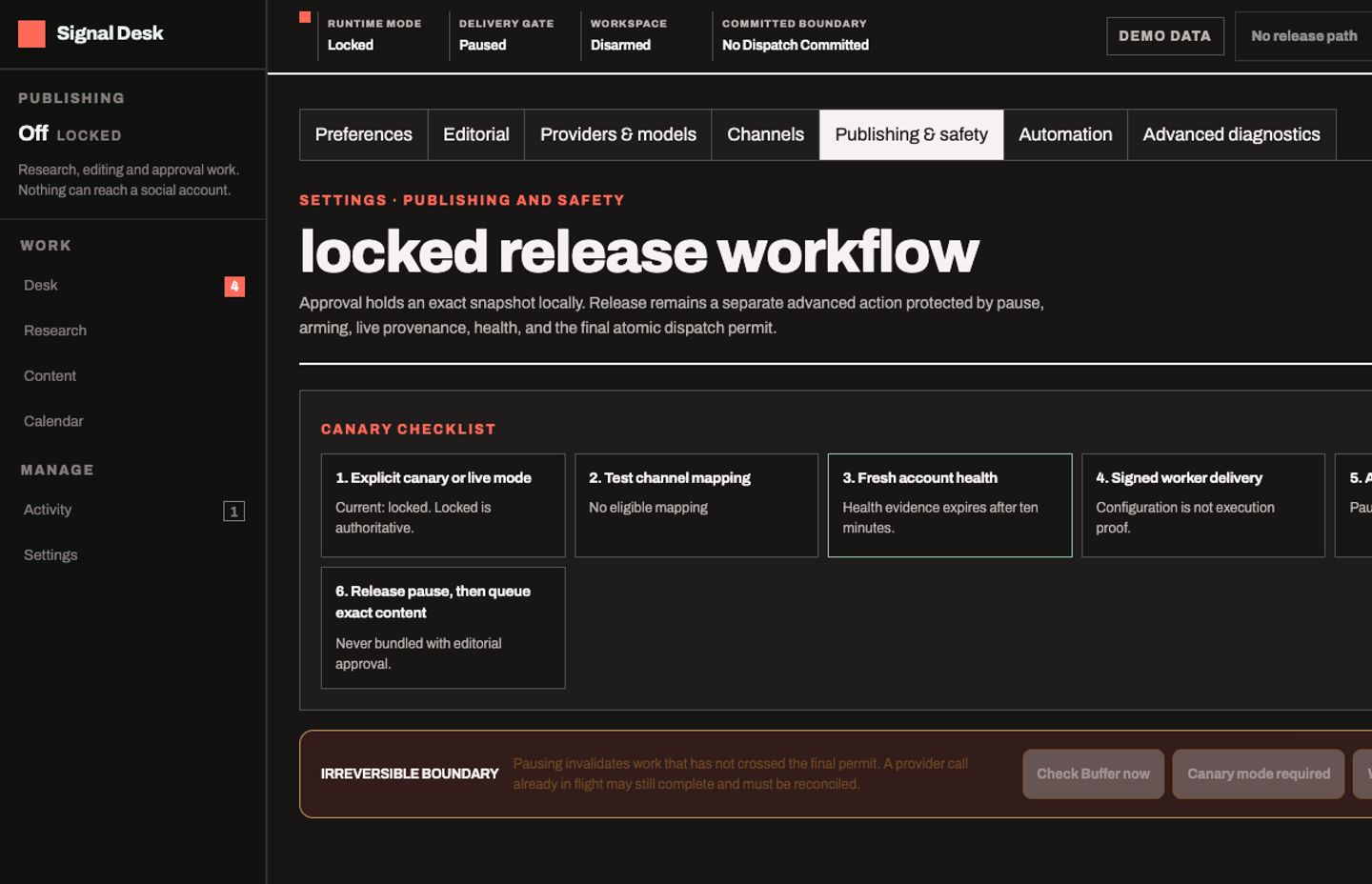 PROJECT SCREEN
THE PROJECT
Research, content versions, review and scheduling boundaries in one operator workspace.
The desk connects research and content review to explicit approval snapshots. The application separates editorial approval from queueing and delivery. Versioned mappings, an outbox, durable work leases and operation evidence make the release path inspectable when an external provider is configured.
- Research, content and calendar workspaces
- Immutable approval snapshots and audit history
- Separate queue, delivery and recovery boundaries
Independent engineering project. The screenshot shows locked mode with demo data; it is not evidence of a current live publishing service.
THE INTERFACE
A closer look.
UNDER THE SURFACE
How it fits together.
Application state lives in D1. External research and publishing providers are opt-in boundaries; a separate public media Worker serves only verified objects.
Swipe or scroll the diagram to inspect it. The components are also listed below.
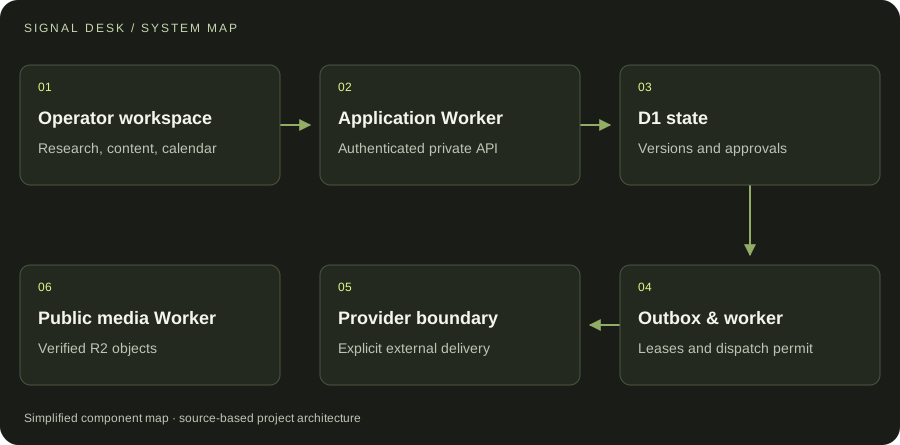
- 01Operator workspace
Research, content, calendar
- 02Application Worker
Authenticated private API
- 03D1 state
Versions and approvals
- 04Outbox & worker
Leases and dispatch permit
- 05Provider boundary
Explicit external delivery
- 06Public media Worker
Verified R2 objects
START WITH ONE EMAIL
Need something
like this?
Tell us what you would use it for. The four lines on the right are enough to start.
There is no form to fill in and nothing to sign up for.
WHAT TO PUT IN IT
- The taskWhat is done by hand today, and how often.
- The toolsWhere the data lives: files, sheets, apps.
- The resultWhat a good outcome looks like for you.
- The timingWhen you need it.
The button opens your email app with the four questions already in the message. Examples: how to write a software brief.