
Briefing prototype
Shift Brief
A useful briefing starts with verifiable facts.
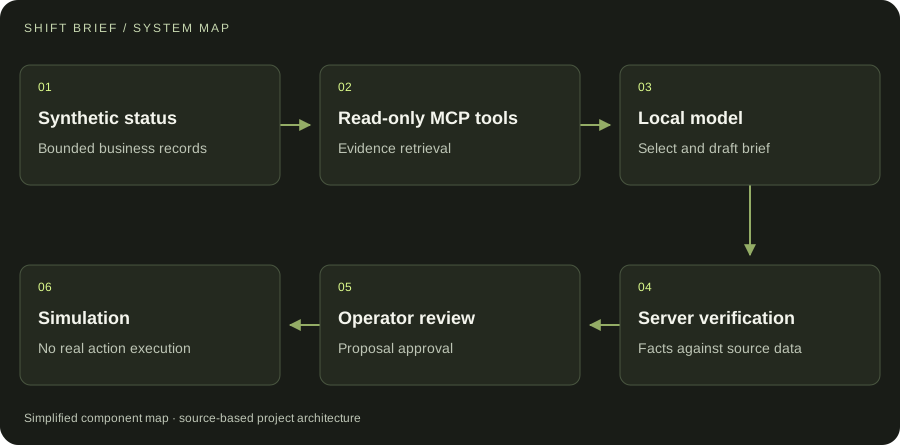 SYSTEM ARCHITECTURE
THE PROJECT
A local-model briefing workflow over synthetic business status and read-only tools.
A local model selects evidence from a bounded tool surface and proposes a concise operational brief. Server checks tie facts back to the selected records. Suggested actions remain a separate human-reviewed simulation, allowing the briefing workflow to be tested without operating a real business system.
- Read-only MCP evidence tools
- Local-model selection and server verification
- Human-reviewed simulated proposals
Prototype with synthetic business data and simulated actions.
IN MOTION
Watch the project.
UNDER THE SURFACE
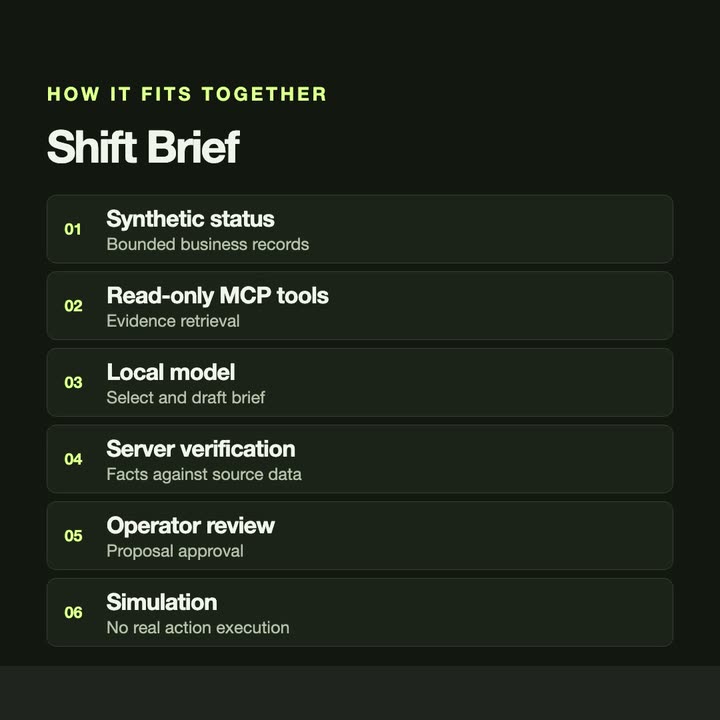
How it fits together.
The model works through read-only tools. Facts are verified on the server before review; any proposed action is simulated in this prototype.
Swipe or scroll the diagram to inspect it. The components are also listed below.
- 01Synthetic status
Bounded business records
- 02Read-only MCP tools
Evidence retrieval
- 03Local model
Select and draft brief
- 04Server verification
Facts against source data
- 05Operator review
Proposal approval
- 06Simulation
No real action execution
START WITH ONE EMAIL
Need something
like this?
Tell us what you would use it for. The four lines on the right are enough to start.
There is no form to fill in and nothing to sign up for.
WHAT TO PUT IN IT
- The taskWhat is done by hand today, and how often.
- The toolsWhere the data lives: files, sheets, apps.
- The resultWhat a good outcome looks like for you.
- The timingWhen you need it.
The button opens your email app with the four questions already in the message. Examples: how to write a software brief.