
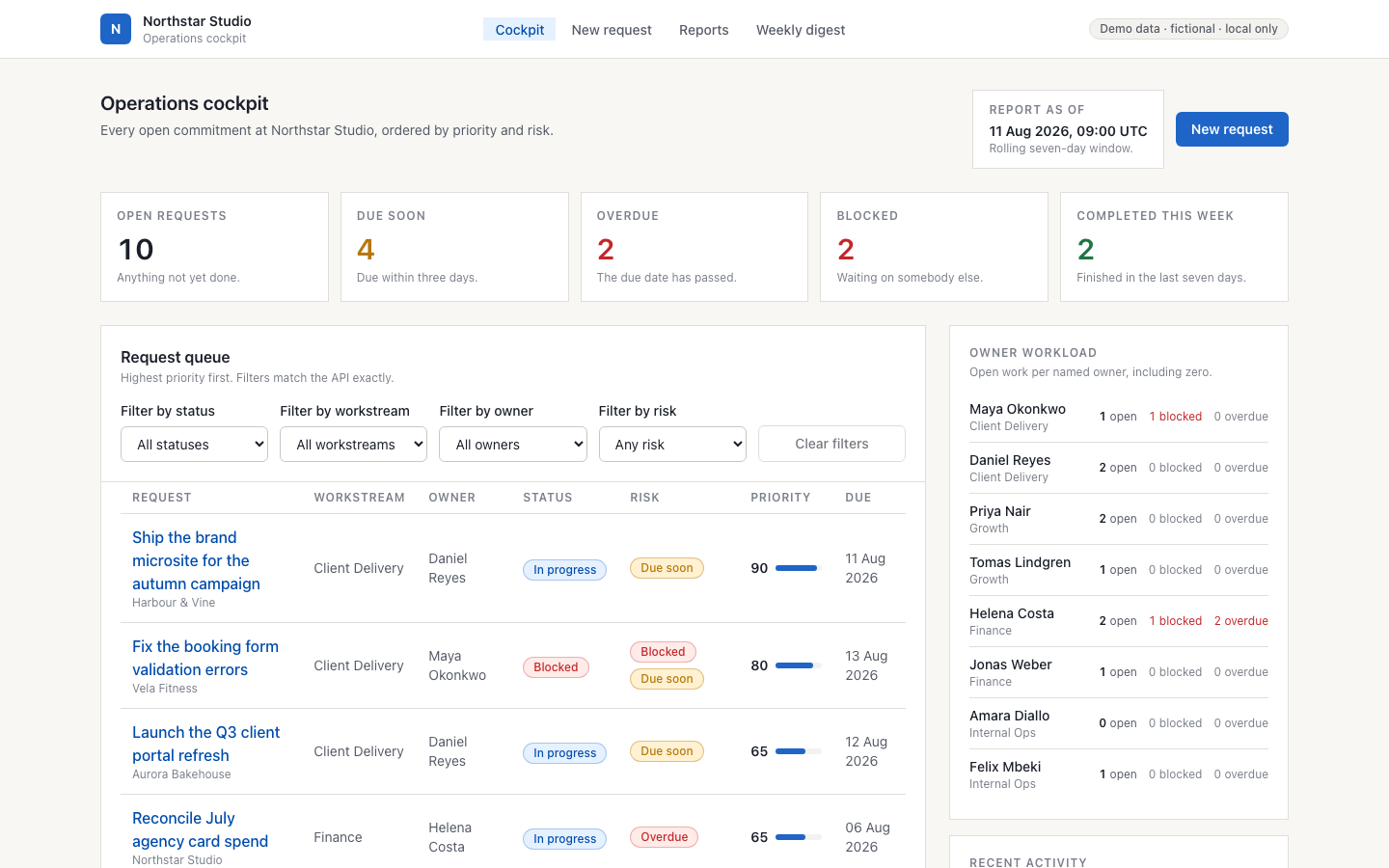
 PROJECT SCREEN
THE PROJECT
An operations workspace for intake, routing, deadlines and weekly reporting.
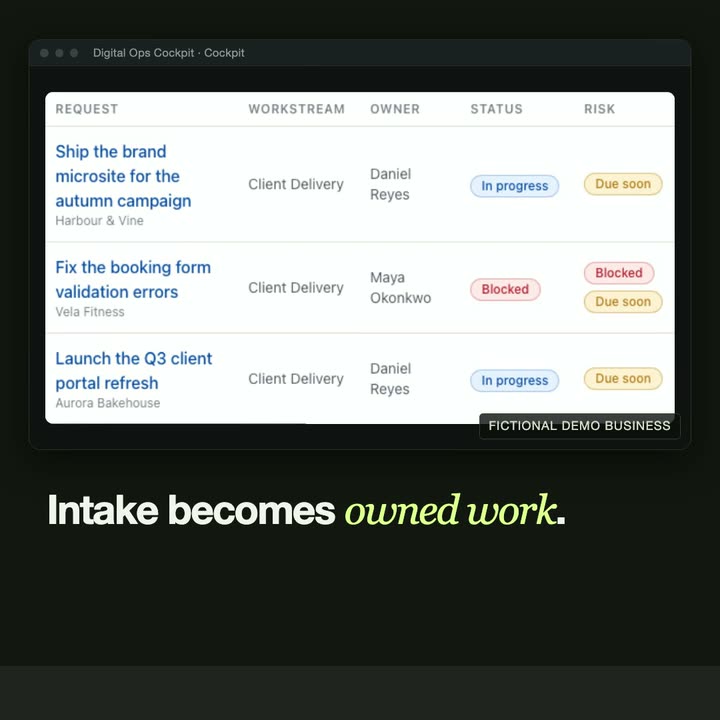
Incoming requests become owned work rather than an unstructured inbox. Shared routing rules explain why an owner and workstream were selected. The cockpit surfaces overdue or blocked requests, keeps overrides in an audit trail and produces a weekly digest from the same records.
- Explainable intake and assignment rules
- Deadline, blocked-work and audit views
- Reports and a Markdown weekly digest
Local portfolio demonstration using the fictional Northstar Studio business.
CASE STUDY
Problem, approach, result.
The problem
In a small operations team, requests arrive by email, chat and forms. Nobody is sure who owns each one, what is blocked or what is due this week, and the weekly report is put together by hand.
The approach
Incoming requests become owned work through shared routing rules that explain why an owner and a workstream were chosen.
Overdue and blocked work is surfaced, manual overrides are kept in an audit trail, and the weekly digest is produced from the same records the team works in, so the report cannot drift from the work.
The result
A working demonstration built around a fictional business, Northstar Studio, with a short video. It shows the pattern we adapt to a real team's tools, rules and reports.
Related service: Workflow automation & data integration →
THE INTERFACE
A closer look.
IN MOTION
Watch the project.
UNDER THE SURFACE
How it fits together.
The interface and API share deterministic workflow rules. Audit events preserve changes, while dashboard and digest views are calculated from stored requests.
Swipe or scroll the diagram to inspect it. The components are also listed below.
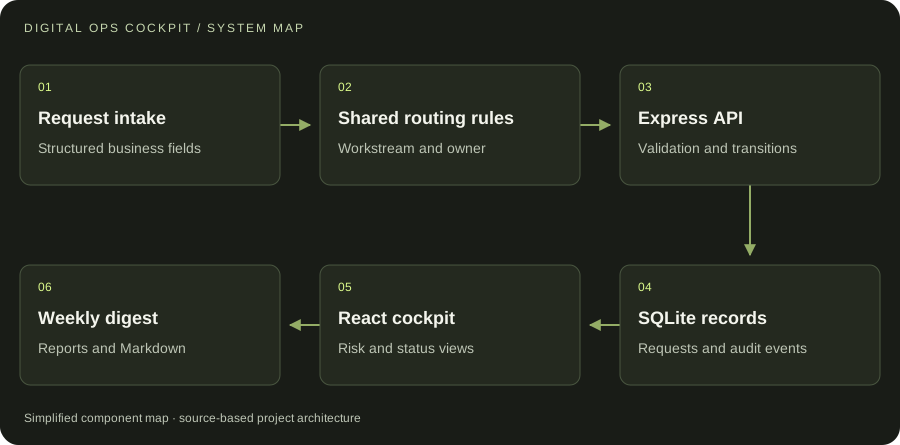
- 01Request intake
Structured business fields
- 02Shared routing rules
Workstream and owner
- 03Express API
Validation and transitions
- 04SQLite records
Requests and audit events
- 05React cockpit
Risk and status views
- 06Weekly digest
Reports and Markdown
START WITH ONE EMAIL
Need something
like this?
Tell us what you would use it for. The four lines on the right are enough to start.
There is no form to fill in and nothing to sign up for.
WHAT TO PUT IN IT
- The taskWhat is done by hand today, and how often.
- The toolsWhere the data lives: files, sheets, apps.
- The resultWhat a good outcome looks like for you.
- The timingWhen you need it.
The button opens your email app with the four questions already in the message. Examples: how to write a software brief.