
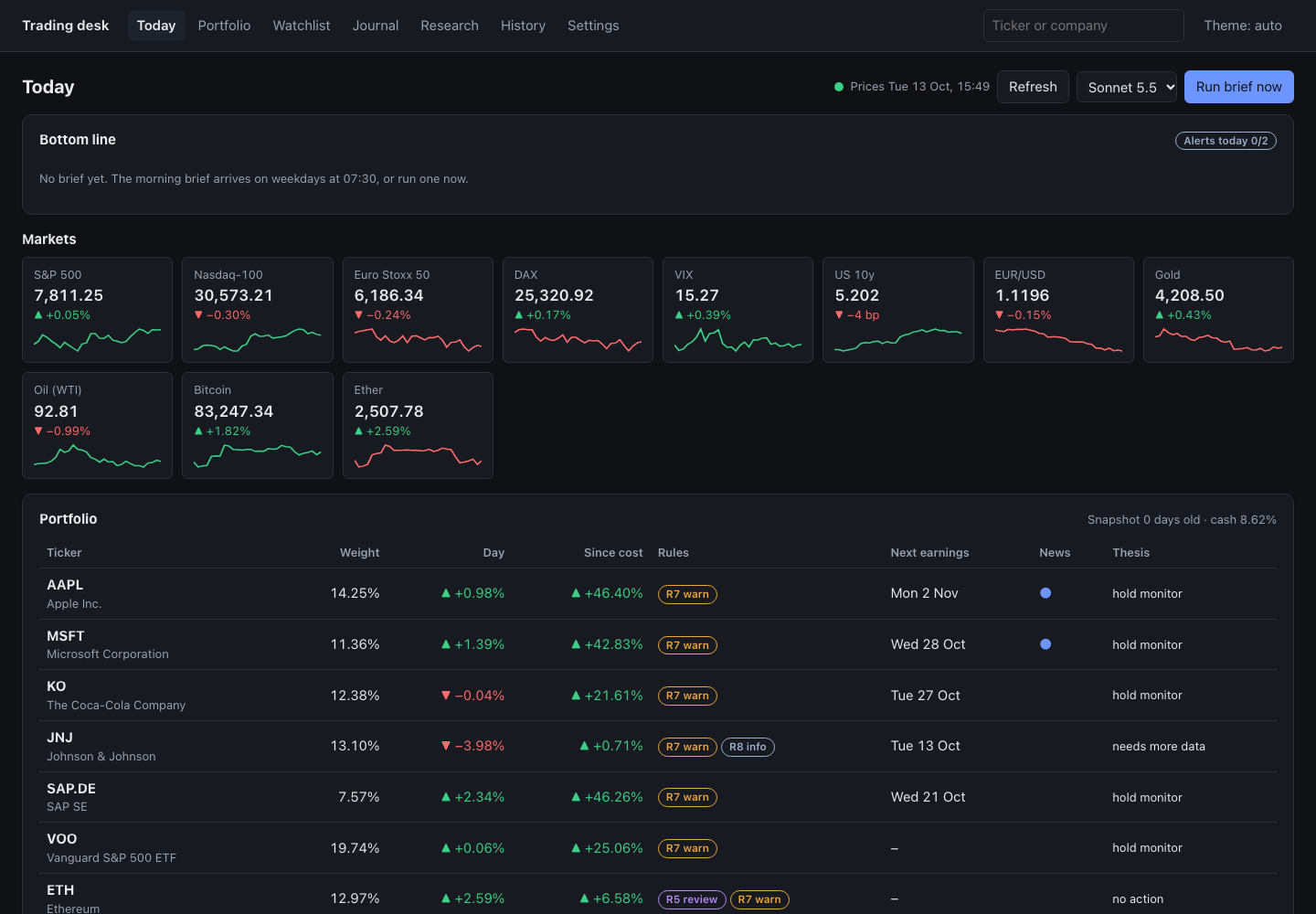
 PROJECT SCREEN
THE PROJECT
A local decision-support desk for stocks, funds and crypto: a checked morning brief that can run on a schedule.
Trading Desk gathers free market, macro and news data, checks a portfolio against the limits its owner set, and uses Claude Code to write a morning brief and research any ticker. Code checks each percentage and price in the brief against the fact it cites before it is shown: a percentage or price with no cited fact behind it is rejected. Version 1.1 lets the desk run itself on a schedule you set, on a Mac or on Windows, and tell you through its own inbox, and, if you set them up, a notice on your computer, your own Telegram bot, WhatsApp through Meta's API or a webhook. It also adds alerts of your own, saved screens, an “Ask the desk” box that turns a plain question into a condition you confirm, more chart tools, a portfolio heat map and CSV import and export. Version 1.2 adds a Settings card for the limits the rules check and mechanical readings of ascending triangles, descending triangles and narrowing ranges in past prices. The desk runs on your own computer, never connects to a broker or exchange account, never places an order and never tells you what to buy.
- Morning brief written by Claude Code and checked by code
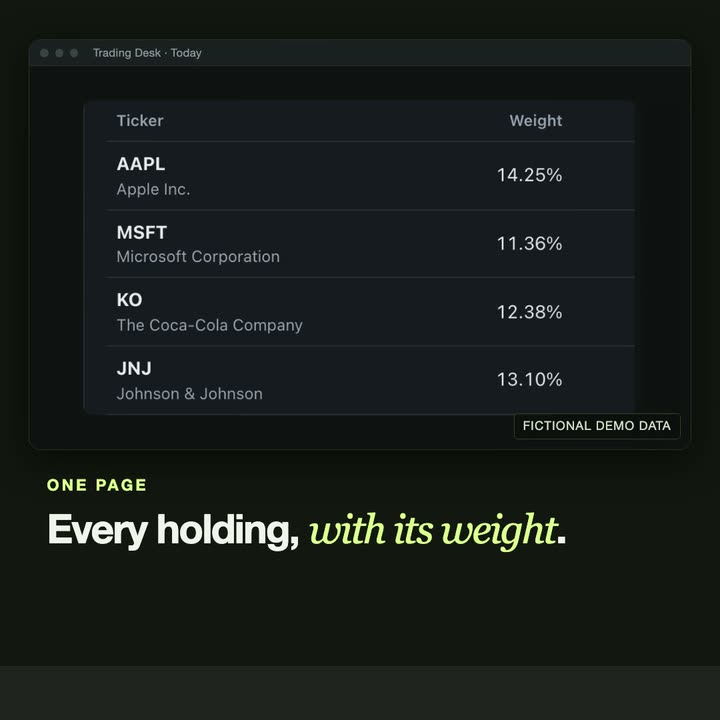
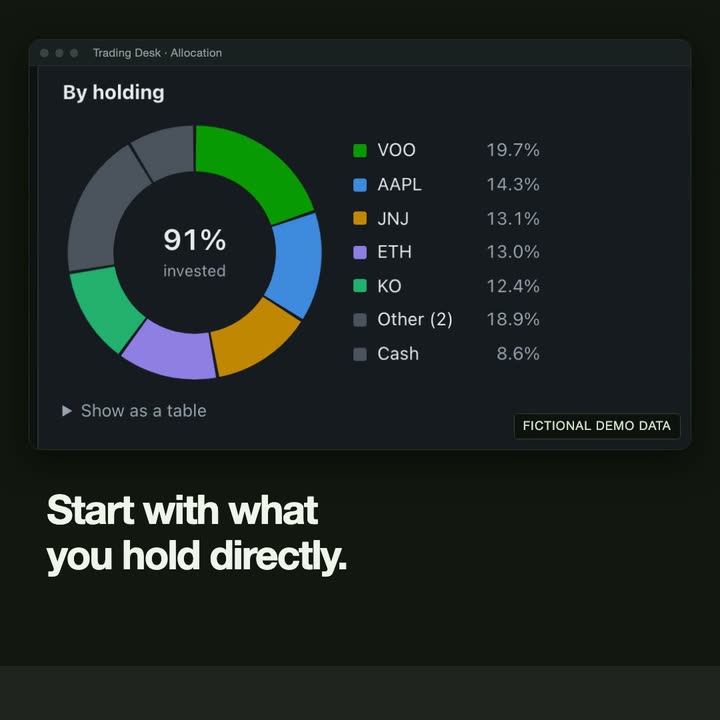
- Portfolio rules, allocation look-through and performance against benchmarks
- Research library, watchlist price zones and a decision journal
- Runs on a schedule you set (launchd on a Mac, Task Scheduler on Windows): off until you turn it on, and only while you are logged in
- Every brief and alert lands in the desk's own inbox; it can also show a notice on your computer and send to your own Telegram bot, WhatsApp through Meta's API or a webhook such as ntfy (each needs a short setup and is off until you switch it on)
- Your own alerts on holdings and watchlist names, such as a price zone you set
- Saved screens over a universe of about 670 names, with market breadth, from prices stored on your computer
- Ask the desk: write a question in plain words, see the condition it becomes and save it only if you confirm; the question is shown to you before it goes to the AI provider you chose
- How often a condition occurred before and what followed, stated as history, not a forecast
- Chart tools: moving averages, Bollinger bands, RSI, MACD, log scale, weekly and monthly bars, anchored VWAP, DCA zones and mechanically drawn support and resistance
- Portfolio heat map, per-holding readings and dividend income
- CSV import (a generic column mapping, and beta presets for Trading 212, Revolut, Freetrade, Fidelity and Interactive Brokers open positions) and CSV export
- An optional second price source, with your own EODHD key
- Native Mac and Windows window over a local web server
Decision support only: no broker connection, no orders, no advice. Chart readings are mechanical readings of past prices, not forecasts. Screens show a fictional demo portfolio.
CASE STUDY
Problem, approach, result.
The problem
A morning brief written by a language model reads well, and that is the risk: a confident number with nothing behind it looks exactly like a correct one.
Personal portfolio rules, such as a maximum weight for one name, also tend to live in a note that nobody checks on a busy morning, and an alert you have to remember to look at is not much of an alert.
The approach
The desk gathers free market, macro and news data into a local store and turns it into a pack of facts, each with an id. Claude Code writes the brief from that pack, and every bullet has to cite the facts it uses.
Before the brief is shown, code checks each percentage and price against the fact its bullet cites, after normalising how numbers are written; anything unsupported goes back to the model once. Small counts, dates and the wording around a figure are not checked. The portfolio is checked against its owner's limits on every refresh, and the AI provider sees tickers, weights and percentages, including your percentage gain since cost (which, with the price, shows the price you paid per share), and never how many shares you hold or any amount in money.
From version 1.1 the desk can do this on its own schedule and tell you where you chose. Your own alerts, saved screens and chart readings are conditions that code evaluates on stored prices; when you ask a question in plain words, the model only proposes a condition, code validates it, and nothing is saved until you confirm. Notices carry tickers, percentages, prices and your own price levels, never how many shares you hold or what your holdings are worth.
The result
A desktop app for Mac and Windows, free for 10 days and then a one-time licence, shown here with a fictional demo portfolio: a local web app in a native window, a first-run guide and short videos. It never connects to a broker or exchange account, never places orders and gives no advice. The Mac version is a notarized download from GitHub, the Windows version installs from the Microsoft Store, and one licence key works on both.
Related service: Custom desktop & web applications →
THE INTERFACE
A closer look.
IN MOTION
Watch the project.
PRICING
Try it free, then pick a key.
Every feature is free for 10 days, with no card. Then choose a one-time licence.
Beginner
€20
- 5 tickers across your portfolio and watchlist
- The core desk: Today, rules, allocation, performance, journal, watchlist and charts, with moving averages, Bollinger bands, RSI, MACD, log scale and weekly and monthly bars
- Morning brief and quick takes with your own Claude Code or Codex
- The desk's own schedule, and notification channels: Telegram, WhatsApp or a webhook, besides the desk's inbox
- Three alerts of your own, on holdings and watchlist names
- Portfolio heat map, per-holding readings, dividend income, CSV import and export, and an optional second price source with your own EODHD key
Pro
€40
- Any number of tickers, and any number of alerts of your own
- Everything in Beginner, and all of these:
- Deep research and thesis drafts, with a check of its figures against the desk's data
- DCA zones and the DCA backtest, also drawn on the chart
- Insider buying, seasonality, NAV-priced funds and the radar
- Elliott waves, Fibonacci levels and anchored VWAP
- Alerts with more than one condition
- Saved screens and market breadth
- Ask the desk and event studies
- Support and resistance levels
Already on Beginner? Upgrade to Pro for the difference: €20. Upgrade to Pro ↗
One-time payment, plus VAT where it applies. One key for your own computers, with updates for the 1.x series. Sold by Stripe through its Link service as merchant of record; the key arrives by e-mail. Refund within 30 days if the app doesn't do what this page says. Terms · Privacy
GET IT
Download and run it.
Every feature is free for 10 days. After that the desk is read-only until you add a licence key; nothing you entered is deleted. Both versions are free to install and work the same way: the Mac version is a notarized download from GitHub, the Windows version comes from the Microsoft Store, and one licence key works on both.
- Download for Mac ↗Version 1.2.0 · DMG, 139 MB · Apple silicon · macOS 14 or later · notarized by Apple · 10-day free trial · from GitHub
- Microsoft Store ↗Windows 10 or 11 · free to install, signed by Microsoft, updates through the Store · 10-day free trial
SHA-256 of TradingDesk-1.2.0-arm64.dmg: 3261e5b8f0909d6e6fb9d48f88d2c00958f3f80ac4ff5b5c98bd1117f27bfa2e
UNDER THE SURFACE
How it fits together.
Feeds fill a local store. Code builds the rule results and a facts pack from it. Claude Code drafts the brief from that pack, and a checker rejects a percentage or price it can't trace to a fact before the app or an alert shows it. Small counts, dates and the wording around a figure are not checked. In 1.1 the desk's own schedule starts the same jobs with the window closed, and what they produce goes to the inbox and to the channels you switched on. Screens, alerts and chart readings are computed by code on the stored prices; Ask only proposes a condition, which code validates and you confirm.
Swipe or scroll the diagram to inspect it. The components are also listed below.
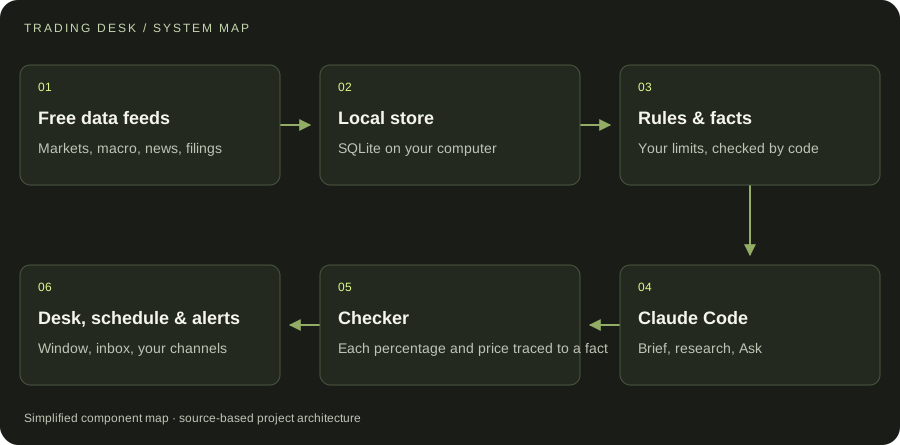
- 01Free data feeds
Markets, macro, news, filings
- 02Local store
SQLite on your computer
- 03Rules & facts
Your limits, checked by code
- 04Claude Code
Brief, research, Ask
- 05Checker
Each percentage and price traced to a fact
- 06Desk, schedule & alerts
Window, inbox, your channels
START WITH ONE EMAIL
Need something
like this?
Tell us what you would use it for. The four lines on the right are enough to start.
There is no form to fill in and nothing to sign up for.
WHAT TO PUT IN IT
- The taskWhat is done by hand today, and how often.
- The toolsWhere the data lives: files, sheets, apps.
- The resultWhat a good outcome looks like for you.
- The timingWhen you need it.
The button opens your email app with the four questions already in the message. Examples: how to write a software brief.