
Market research system
Polymarket OPP + RL Stack
A research pipeline with its decisions on record.
 PROJECT SCREEN
THE PROJECT
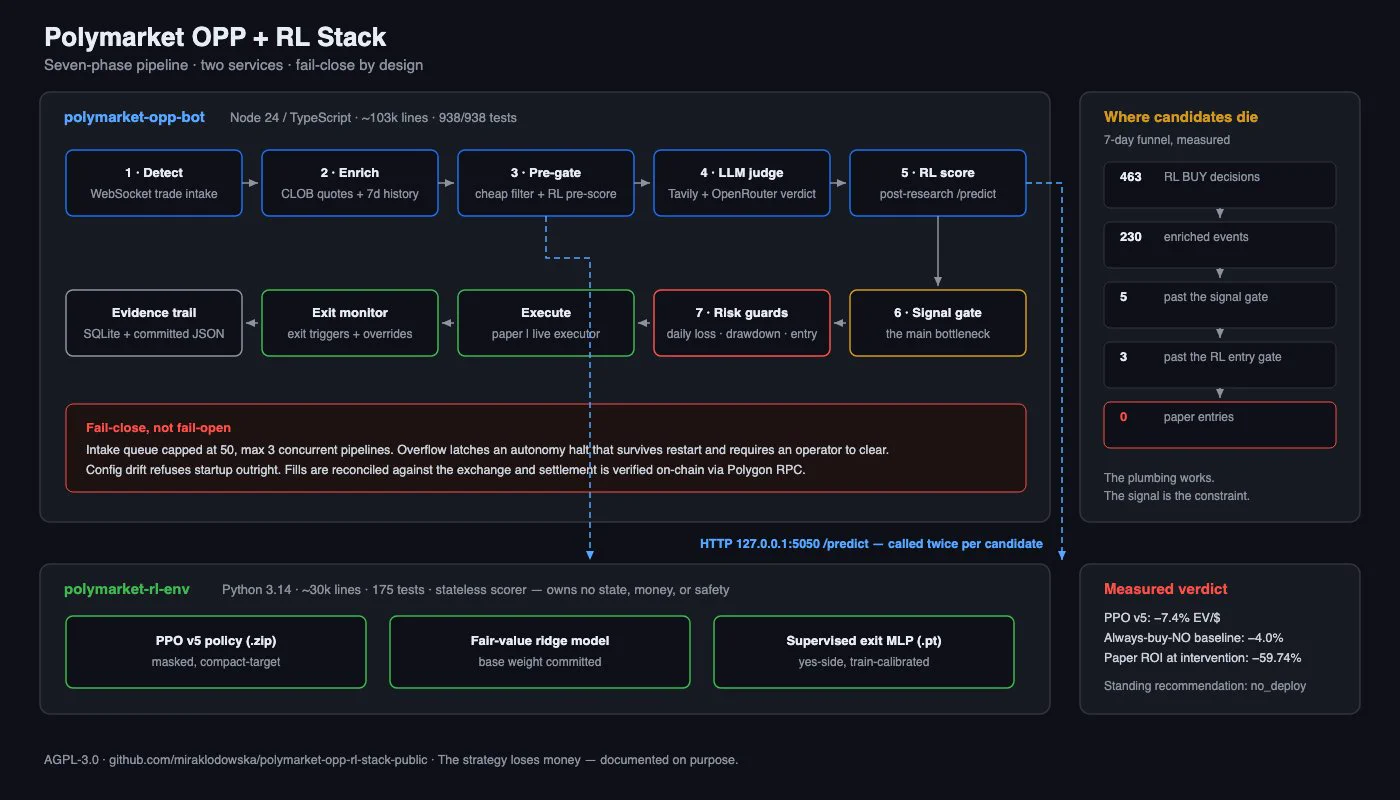
Event ingestion, enrichment, model scoring and paper-execution boundaries across two services.
The engineering work connects a streaming event pipeline to enrichment, an LLM research stage and a Python reinforcement-learning scorer. Signal and risk gates sit between scoring and a paper executor, with reconciliation and settlement evidence retained alongside decisions. It demonstrates system plumbing and measurement rather than a profitable trading strategy.
- Streaming events and staged candidate filtering
- Separate TypeScript pipeline and Python scorer
- Paper execution, reconciliation and evidence trails
Research project. The supplied architecture image contains historical measurements; the documented strategy recommendation is no_deploy.
THE INTERFACE
A closer look.
UNDER THE SURFACE
How it fits together.
The event-processing service calls a separate scoring service. Explicit signal and risk checks decide whether a candidate reaches the paper-execution path.
Swipe or scroll the diagram to inspect it. The components are also listed below.
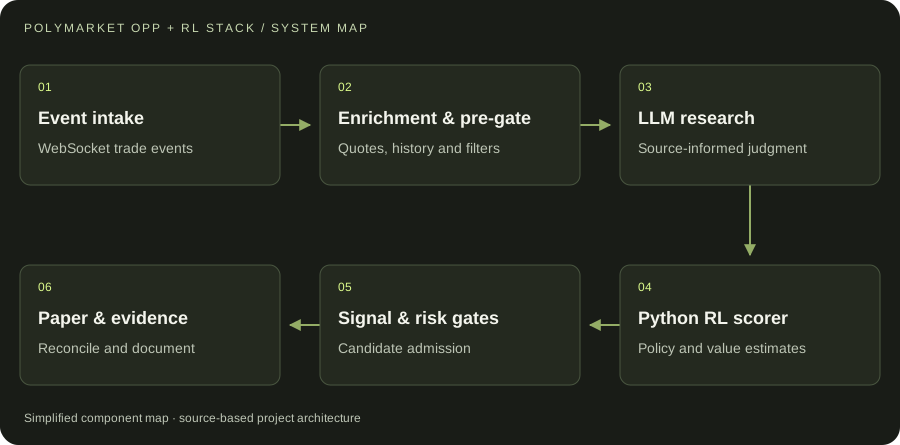
- 01Event intake
WebSocket trade events
- 02Enrichment & pre-gate
Quotes, history and filters
- 03LLM research
Source-informed judgment
- 04Python RL scorer
Policy and value estimates
- 05Signal & risk gates
Candidate admission
- 06Paper & evidence
Reconcile and document
START WITH ONE EMAIL
Need something
like this?
Tell us what you would use it for. The four lines on the right are enough to start.
There is no form to fill in and nothing to sign up for.
WHAT TO PUT IN IT
- The taskWhat is done by hand today, and how often.
- The toolsWhere the data lives: files, sheets, apps.
- The resultWhat a good outcome looks like for you.
- The timingWhen you need it.
The button opens your email app with the four questions already in the message. Examples: how to write a software brief.